
When and Why to Migrate Your CRM from Google Sheets vs Airtable CRM: A Practical Case Study
Your CRM lives in Google Sheets and starts to lag? See the warning signs, a real seven-tab case from our practice and what moving to Airtable fixed.
- AI
- Business
- Case Study

In short
- Google Sheets is a good first CRM: cheap, familiar, flexible. It is the right choice for about 30 clients and a simple table.
- It breaks when you add scripts: no built-in automations, three basic access roles, lag above roughly 5,000 rows, no real links between tables.
- Watch for five signs: slow opening, too many tabs, more people editing, dirty data, and a need for automations.
- Airtable looks like a spreadsheet but is a real database, with linked records, views, built-in automations and permissions.
- In our real estate case, seven tabs and several scripts started blocking the system, so we migrated at our own expense instead of rebuilding later.
Your customer list started life as a simple Google Sheets file. Then came more customers, more columns, more formulas and more mistakes. Now the file opens slowly and nobody trusts it.
Using Google Sheets as a CRM is like riding a bicycle for the first time: cheap, easy and perfect for a start. (When I launched my first agency in 2018, I used Sheets for everything.) But at some point the bike is not enough and you need a car.
This article is about that exact moment. I will show you when Sheets stops working as a CRM, the signs to watch for, and how Airtable (or a similar platform) solves the problem. You will also see a real case from my practice: a client who ran seven Google Sheets for different campaigns.
Why a spreadsheet is a good first CRM
Let me be fair first. Google Sheets is a great starting point, especially when the business has no capital yet and every penny counts.
- Free (or nearly so). A simple Gmail account gives you Sheets and other Google products. A company account (Google Workspace) has monthly fees, but a basic email is enough to start.
- Easy to start. It feels like opening an Excel file, and most of us have worked in Excel.
- Flexible. You can add columns, change formulas, filter, make charts, even write scripts for special functions.
- Great for small teams. Perfect for first CRM experiments, MVPs and prototypes, with no monthly fee just so your team can open the file.
Say you have 30 clients and only want to track who you spoke with and when. Columns like "Name," "Phone," "Last Contact Date" and "Comment" do the job, and everything is fine.
Where the spreadsheet starts to break
Over time that wonderful spreadsheet turns into a maze. You add columns, scripts, integrations, and the system starts to wheeze. Scripts are great to have, but the more you add, the more brittle the sheet becomes.
No built-in automations
Say you want a change in the "Contact" column to write today's date in "Contact_last_update." In Sheets, you must write a script for that.
With few records and light logic it works. As you add scripts to build internal "automations," Sheets starts to break.
Access control is too basic
Sheets offers three roles: Editor (can do everything), Commenter (can leave comments) and Viewer (read-only). That is convenient but risky. Sooner or later someone deletes an important formula or row, the sheet breaks and the work slows down.
Slow with lots of data
Above roughly 5,000 rows the sheet starts to lag. Scripts run slowly. Some automations do not trigger at all because the system is out of breath.
No real links between tables
If you have one tab for "Clients" and another for "Deals," there is no native way to relate them like in a real database. You end up with formulas like VLOOKUP(), and the more you have, the more fragile everything gets.
In the case below, even though it was not in scope, we spent dozens of hours organizing the client's database to make it workable.
No analytics or dashboards
Sheets has no built-in CRM dashboard. You build it by hand or use Google Data Studio, which adds another layer of complexity.
Five signs it is time to move
Here are the red flags that your spreadsheet is no longer enough:
- The sheet is slow to open. You click, wait (you even manage to answer a Messenger message in the meantime), and after a few seconds your data appears. Scripts throw errors or stop working.
- Too many tabs and formulas. In our case there was one tab per location or campaign (7 tabs, for now). Team members start drowning in structure.
- More people, more problems. When several people work at once, the risk of accidental changes grows. Anyone with Editor access can do anything, and you cannot fine-tune permissions per field or view.
- Data errors. Duplicate client names (another reason for a cleaning and validation automation), missing emails, outdated statuses.
- You want automations and integrations. For example, a change in "Contact" should fill today's date in "Contact_last_update." Sheets can do it, but it is hard and often brittle.
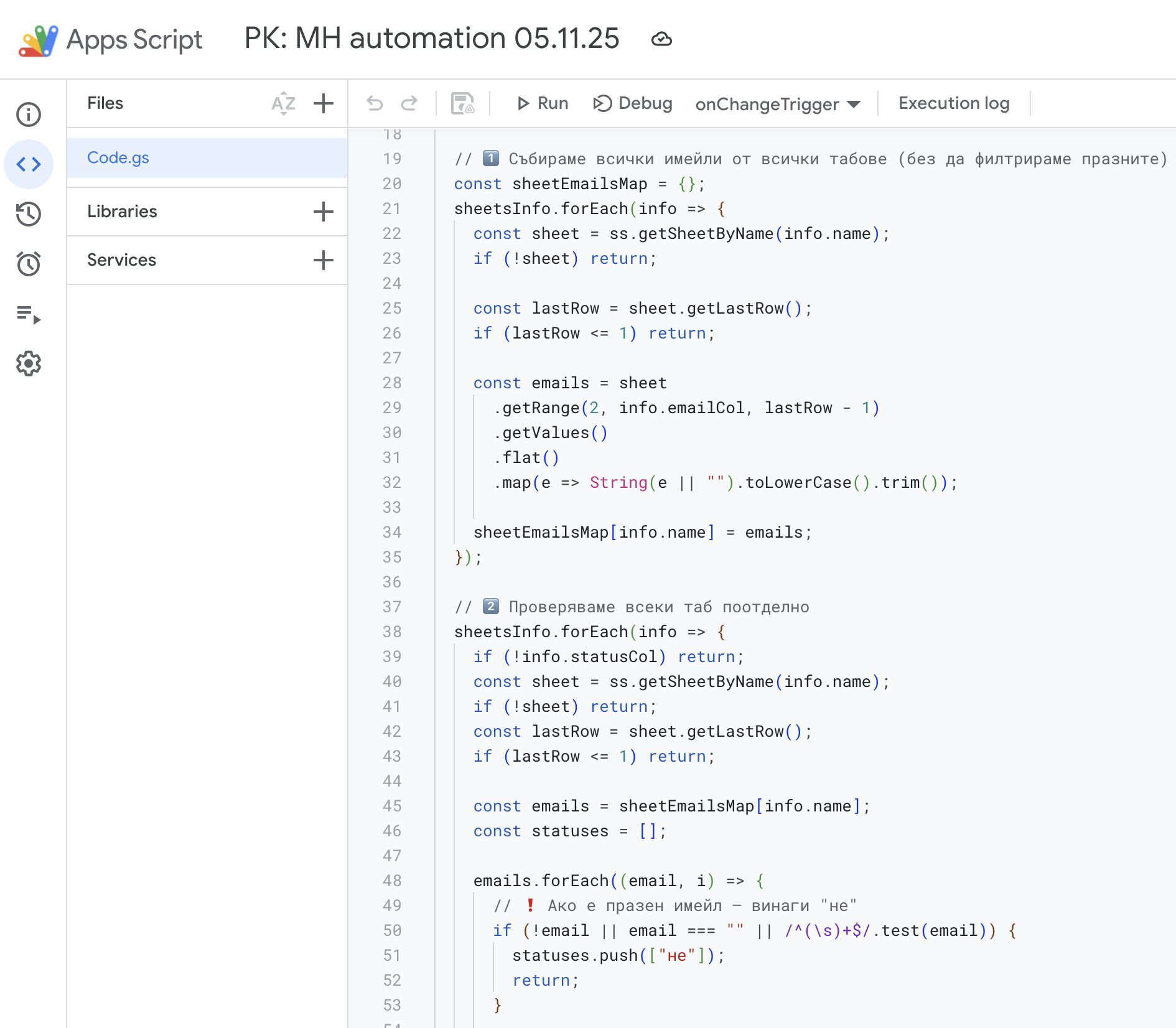
Here is the function we had to write for that last one (do not be scared):
// Writes the date into "Contact_last_update" when "Contact" changes.
// Works in any sheet that has both headers in row 1.
const CONTACT_HEADER = "Contact";
const LAST_UPDATE_HEADER = "Contact_last_update";
const HEADER_ROW = 1;
const DATE_FORMAT = "dd.MM.yyyy"; // or "dd.MM.yyyy HH:mm"

function _norm(s){ return String(s||"").replace(/\u00A0/g," ").trim(); }

function _findCols(sheet){
  const lastCol = sheet.getLastColumn();
  if (!lastCol) return {contactCol:-1,lastUpdateCol:-1};
  const headers = sheet.getRange(HEADER_ROW,1,1,lastCol).getValues()[0].map(_norm);
  return {
    contactCol:    headers.findIndex(h=>h===CONTACT_HEADER)+1 || -1,
    lastUpdateCol: headers.findIndex(h=>h===LAST_UPDATE_HEADER)+1 || -1,
  };
}

function onEdit(e){
  try {
    if (!e || !e.range) return;
    const sheet = e.range.getSheet();

    const { contactCol, lastUpdateCol } = _findCols(sheet);
    if (contactCol === -1 || lastUpdateCol === -1) return;      // required columns not found
    if (e.range.getRow() <= HEADER_ROW) return;                  // skip header row
    if (e.range.getColumn() > contactCol || e.range.getLastColumn() < contactCol) return; // not editing "Contact"

    const rowStart = Math.max(e.range.getRow(), HEADER_ROW+1);
    const rowEnd   = e.range.getLastRow();

    // new "Contact" values
    const newVals = sheet.getRange(rowStart, contactCol, rowEnd-rowStart+1, 1)
                         .getValues().map(v => _norm(v[0]));

    // for single-cell edits we can read oldValue
    const singleCell = (rowStart===rowEnd &&
                        e.range.getColumn()===contactCol &&
                        e.range.getLastColumn()===contactCol);
    const oldVal = singleCell ? _norm(e.oldValue) : null;

    const out = [];
    for (let i=0; i<newVals.length; i++){
      const cur = newVals[i];

      // if single-cell and value hasn't changed → keep existing date
      if (singleCell && cur === oldVal) {
        out.push([ sheet.getRange(rowStart+i, lastUpdateCol).getValue() ]);
        continue;
      }

      // if empty → clear date; else → write today (Europe/Sofia)
      out.push([ cur ? Utilities.formatDate(new Date(), "Europe/Sofia", DATE_FORMAT) : "" ]);
    }

    sheet.getRange(rowStart, lastUpdateCol, out.length, 1).setValues(out);
  } catch (err) {
    Logger.log("onEdit error: " + err);
  }
}
And that is just one of the internal automations we had to script.
Why Airtable (or a similar system) fixes this
If you made it this far without getting scared, breathe. There is light at the end of the tunnel, and it is not an oncoming train.
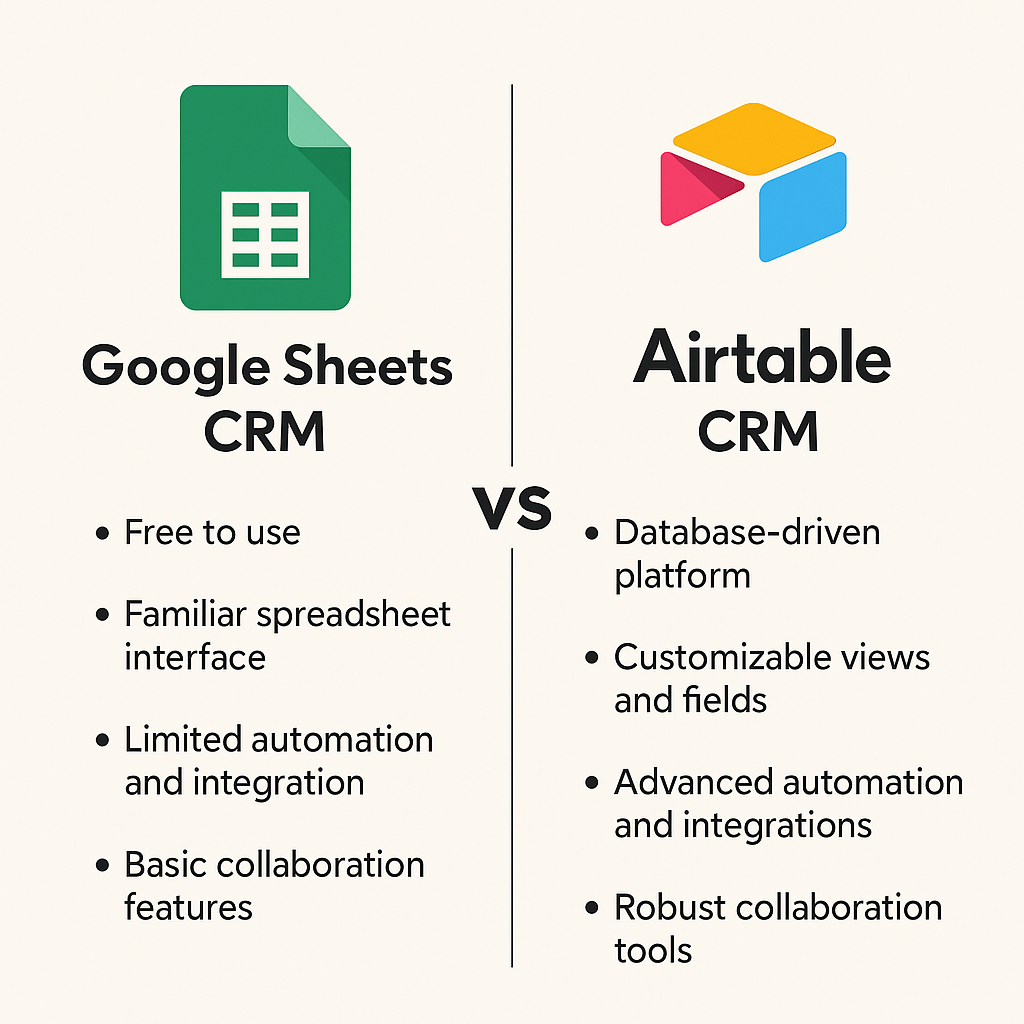
Airtable CRM is the golden middle between Google Sheets and a full-blown CRM like ClickUp. It looks like a spreadsheet, but under the hood it is a real database.
| What you need | Google Sheets | Airtable |
|---|---|---|
| Links between objects | VLOOKUP() formulas | Linked records between tables (clients, deals, properties, and so on) that "talk" to each other |
| Automations | Custom scripts | Built in, no external scripts required |
| Ways to look at data | One grid | Grid, calendar, Kanban, gallery, with filters |
| Access control | Editor, Commenter, Viewer | You control who sees what and what they can do |
| Moving over | n/a | Direct import from Google Sheets, or a simple n8n.io automation |
A real case: seven tabs held together by scripts
As promised, here is a recent case from Marinext AI. We worked with a real estate agency that used Google Sheets as its CRM. They had seven tabs, one for each of the target locations in Sofia.
When we started, the sheets were chaotic. Brokers entered data inconsistently, if at all, and the owner had no clear picture of what was happening with clients. We spent dozens of hours structuring the sheets properly.
Some changes still required automations (internal functions, call them what you like). Without them we could not move forward.
The two scripts that started to choke the system
The trouble began when there were too many automations and we could no longer rely on standard Sheets features. We wrote several custom scripts to keep control of the data and avoid human errors.
First script (onChangeTrigger and checkEmailsAcrossAllSheets) checked for duplicate emails across all seven tabs. If the same email appeared in more than one tab, it wrote "yes" in an "Exists" column, otherwise "no." Agents could check whether a contact already existed without searching hundreds of rows. But on larger sheets it strained the system, because every change in any sheet triggered checks across all tabs at once.
Second script (onEdit) tracked when a contact was last changed. Any change in "Contact" wrote the current date into "Contact_last_update." The team saw at once how fresh each record was, and it turned out to be critical for one of our n8n automations.
Both scripts were needed because Sheets lacks built-in tools for these checks. One could have been replaced with a cell formula, but we judged that would not last. In the end, the automations meant to help us started blocking the system, a clear sign it was time for a more mature platform like Airtable.
What we did
- Structure assessment: how many tables, how many columns, how many automations.
- Migration planning: designing the initial Airtable base.
- Data import: Airtable imports directly from Google Sheets.
- Automations setup, for example: on status change, create a task for the broker automatically; on a new contact, send an email and set the "last contact date."
- Dashboard: the owner now sees in real time how many new leads there are, who handles them and what the outcomes are.
The choice we made, and what the client got
We had already built several n8n automations on the client's Google Sheets. During implementation we hit multiple limits and errors. Around then, the owner mentioned wanting to migrate soon anyway. Our team had a choice:
| Option | What it means | What it costs the client |
|---|---|---|
| 1. Continue | Finish the project (already two months in) on the original timeline. Later, when the client migrates, start a new, paid project and rebuild everything. | Paying twice |
| 2. Migrate now | Swallow the time already invested, ask for a deadline extension and migrate at our expense. | Saves thousands in costs and lost time if the move had to happen 6-12 months later |
I will let you guess which one we chose.
Google Sheets is a wonderful friend at the beginning: simple, reliable, easy. As the business grows, that friend can start holding you back. Moving to Airtable changes how you manage your business, not only the tool. You stop thinking about scripts, limits and errors, and start focusing on clients, processes and results.
Your next step is small. Count your tabs, your scripts and the seconds your CRM takes to open. If two of the three are going up, book a scan before the next script goes in. And if you want to see where a tool like Airtable can lead next, read how we later replaced Airtable with NocoDB.
Questions and answers
When should a business stop using Google Sheets as a CRM?
When the sheet opens slowly, scripts throw errors, you keep adding tabs and formulas, several people edit at once and mistakes creep in, or you need automations that Sheets can only do with fragile scripts.
How many rows can Google Sheets handle as a CRM?
In our experience the sheet starts to lag at around 5,000 rows. Scripts slow down and some automations stop triggering.
Is migrating from Google Sheets to Airtable hard?
No. Airtable supports direct import from Google Sheets, and a simple n8n automation can also move the data. The real work is planning the structure first.
What does Airtable do that Google Sheets cannot?
It links tables to each other (for example Clients and Deals), gives you filtered views and a dashboard, runs automations without external scripts and controls who sees and does what.