
At 710 columns, we hit a wall we didn’t see coming.
Not because we made a mistake.
Not because someone “didn’t plan properly.”
But because the system was doing exactly what it was supposed to do: evolving to meet real business needs.
The project had been moving perfectly.
The client’s workflows were faster.
The data finally had structure.
The team was preparing for training.
From the outside, this looked like a textbook example of a successful migration from Excel to Airtable.
Then we discovered Airtable’s hard limit: 500 columns per table.
We were 210 columns over!!!
This is the story of what happened next, and why we made the uncomfortable decision to change platforms in the middle of a live production project.
How Did We Get Here?
Let me take you back to where this actually started…
In the previous two articles, I walked you through a real client project where we migrated a complex operational system from Excel to Airtable.
I showed you:
- How did the migration start?
- Why has Excel reached its natural limits?
- And how does Airtable initially unlock speed, clarity, and structure for the client’s team?
I also made a direct comparison between Google Sheets, Excel, and Airtable, based not on theory, but on what actually happened in production.
This article is a continuation of that same real project.
And, just as promised, I won’t hide anything.
You will see all the mistakes.
You will see all the wrong assumptions made by the team.
You will see all the uncomfortable decisions we had to make when things didn’t go as planned.
Because real systems are not built in presentations.
They are built under pressure, deadlines, and real business constraints.
Why This Article Exists
During the migration project, everything was moving in the right direction.
The database structure was defined.
The team was preparing for training.
From the outside, it looked like a successful delivery.
But the reality of real work doesn’t stop once a system is “ready.”
While we were still actively working on the project, the business owner continued doing what any engaged operator does: they refined their processes.
They created new views to reflect how the team actually works.
They added new fields to capture operational details.
They expanded the data model as new use cases appeared.
This wasn’t misuse.
This was a real-life adoption.
And with every new operational requirement, the table grew.
More columns.
More logic.
More structure was layered on top of what already existed.
At a certain point, that growth pushed us into a rigid technical boundary: the Airtable column limit (500 columns per table).
That limitation doesn’t appear in demos.
It’s rarely discussed in tutorials.
And it’s easy to underestimate when you’re designing systems on paper.
But once you hit it, you can’t ignore it.
This article explains what happened at that exact moment when a tool that works very well in many use cases starts to struggle under real operational complexity.
Complete Transparency, Even When It’s Uncomfortable
I want to be very clear from the start.
We could have kept everything inside Airtable.
We could have:
- Split the data into multiple tables,
- Add lookup columns,
- Built sync automations between tables,
- Patched the limitation with additional logic.
The system would have continued to “work.”
But my promise to the client was never just to make something work.
It was to build a system that is:
- stable,
- scalable,
- and safe to evolve over time.
Forcing a tool beyond its design limits introduces hidden risks, especially when the system is expected to grow over years rather than months.
This article explains why we chose not to patch over the limitation.
Why did we decide to change software in the middle of a real production project?
And what did that decision teach us?
I’ll also walk you through:
- What did we underestimate?
- What did we learned the hard way?
- And how has his experience reshaped the way we design long-term systems today?
Who This Article Is For
This article is for:
- Business owners who rely on spreadsheets (Excel, Google Sheets),
- Teams considering Airtable for complex operational systems,
- Decision-makers who value long-term stability over short-term convenience,
- And anyone who wants to understand what happens after a migration is considered “done.”
You don’t need to be technical to follow this.
I’ll explain everything in plain language, using real examples from real work, not abstractions.
Because, building systems for the long term is not about choosing the most popular tool.
It’s about making the right architectural decision at the right moment, even when that decision is uncomfortable.
What You’ll Learn in This Article
In this article, I’ll walk you through a real production decision that many teams face but very few openly discuss.
By the end, you’ll understand:
- Why can a system work perfectly at first and still become risky over time?
- How real-world usage exposes limitations that don’t appear in demos or tutorials?
- What happens when a database grows beyond its original assumptions?
- Why “it works” is not the same as “it will last”?
- How to recognize early warning signs that your current tool may not scale with your business?
- What we got wrong during the migration and what we learned from it?
- Why did we decide to replace Airtable in the middle of a live client project?
- How to think about long-term data architecture, even if you’re not technical?
This is not a theoretical comparison.
It’s a behind-the-scenes look at how production systems actually behave and how responsible teams adapt when reality proves them wrong.
The Beginning: When a Successful Migration Started Revealing Structural Stress
When we started the migration from Excel to Airtable, everything moved in the right direction.
The client’s workflows became faster.
The data finally had structure.
The team gained visibility and control over daily operations.
At that stage, the project was still actively being built, refined, and expanded.
And that’s an important detail.
Because the real story didn’t begin after delivery, it began during real usage.
A System That Was Actively Evolving While We Were Still Building It
While we were working on the database, the client didn’t stay passive.
They did what engaged business owners do.
They used the system.
They created new views to support different operational scenarios.
They added fields to track details that mattered to their team.
They refined the structure as new questions and needs appeared.
This wasn’t scope creep.
This wasn’t misuse.
This was real adoption happening in real time.
And from an architectural perspective, this is precisely when systems are truly tested.
When “Good Architecture” Meets Real Life
One of the biggest misconceptions about tools like Airtable is that limitations appear because someone “didn’t plan well enough.”
In reality, the most serious limitations arise when the system is used correctly at scale.
That’s precisely what happened here.
The client didn’t freeze the structure and say, “This is good enough.”
They adapted the system to how the business actually worked.
And every adaptation added complexity.
Not artificial complexity, but an operational complexity.
710+ Columns Was Not a “Mistake”
At one point during development, we reviewed the main table and paused.
The table had grown beyond 700 columns.
This didn’t happen because of chaos.
It didn’t happen because of bad planning.
It happened because the system had organically evolved to support real work.
This is a critical point.
When teams rely on a system daily, they don’t think in terms of: “Is this too many columns?”
They think in terms of: “What do we need to track to do our job better?”
Each column represented a real business question.
And here is the uncomfortable truth:
If a system collapses under real usage, the problem is not the user.
The problem is the foundation.
The Hard Limit We Hit
At some point, the issue stopped being theoretical.
Airtable has a maximum of 500 columns per table.
We had over 710.
This wasn’t a “future risk” or “possible constraint.” It was a hard technical blocker that forced an immediate decision.
The Obvious Solution: Split the Table
The straightforward fix was clear:
- Create a second table
- Move some columns there
- Link the two tables
- Use lookup fields to reconstruct the data view
Technically supported.
Architecturally concerning.
Why We Rejected the “Split + Lookup” Approach
When you split one operational table into two and connect them with lookups, you introduce four critical risks:
1. Increased Fragility
You now depend on relationships staying correct, automations syncing properly, and lookup fields not breaking.
If one piece fails, the entire system becomes unreliable.
2. Hidden Complexity
To users, it still looks like “one system.”
Behind the scenes, it’s now multiple tables stitched together with logic.
This makes every future change harder.
3. Automation Dependency Explosion
Every sync between tables becomes an automation.
Every automation becomes a potential failure point.
You don’t reduce complexity; you redistribute it, making it harder to see.
4. Debugging Nightmare
When something goes wrong, the question changes from “Which field is wrong?” to “Which table, which lookup, which automation, which sync failed?”
Troubleshooting time multiplies.
The Hard Truth
We could have built the entire system this way.
We could have split the data, created the lookups, added the automations, and kept everything running in Airtable.
The system would have “worked.”
The client would have been satisfied in the short term.
From the outside, the project would look “successfully delivered.”
But that wasn’t the standard we promised.
The Real Question
At this point, the question stopped being: “Can we make this work in Airtable?”
The real question became: “Should we force Airtable to behave like something it was never designed to be?”
Because what the client needed now was no longer a flexible spreadsheet tool.
They needed:
- An operational database
- Long-term structural stability
- Freedom to evolve without hidden ceilings
This was the moment we recognized: the system had outgrown the foundation.
The Ethical Decision
Changing tools mid-project is never comfortable.
It means more work, more risk, more responsibility.
But we made a commitment to the client:
From this point forward, all additional costs would be covered by us.
Why?
Because we had promised a sustainable system with long-term usability and architectural honesty.
Delivering a fragile workaround would have broken that promise.
Airtable is an excellent product. For many use cases, it’s the right choice.
But this project had crossed an invisible line. It was no longer a tracking tool or a lightweight internal system.
It had become an operational backbone.
And that requires different foundations.
Migrating Again Without Breaking the Business
By the time we decided to move away from Airtable, the most dangerous phase of the project had begun.
Not the technical work.
The transition.
Because at this point, the system was no longer an experiment or a prototype.
It was already shaping how the business operated day to day.
People were preparing to use it.
Processes were being adjusted around it.
Trust was forming.
So the real challenge was not how to migrate.
It was about migrating without disrupting reality.
The Golden Rule We Set Before Touching Anything
Before writing a single line of logic or moving a single record, we defined one non-negotiable rule: The client’s business must continue operating normally during the transition.
No downtime.
No “we’ll fix it later.”
No half-working states.
This rule guided every decision that followed.
Why We Re-evaluated the Platform (Not Just the Setup)
At this stage, the problem was no longer:
- views,
- formulas,
- automations,
- or UX.
The problem was structural capacity.
We needed a system that could:
- Handle a very large number of fields in one table!
- Evolve without artificial ceilings.
- Remain understandable for non-technical users.
- And not require constant architectural workarounds just to stay functional.
This is where we stepped back and evaluated alternatives, not as tools, but as foundations.
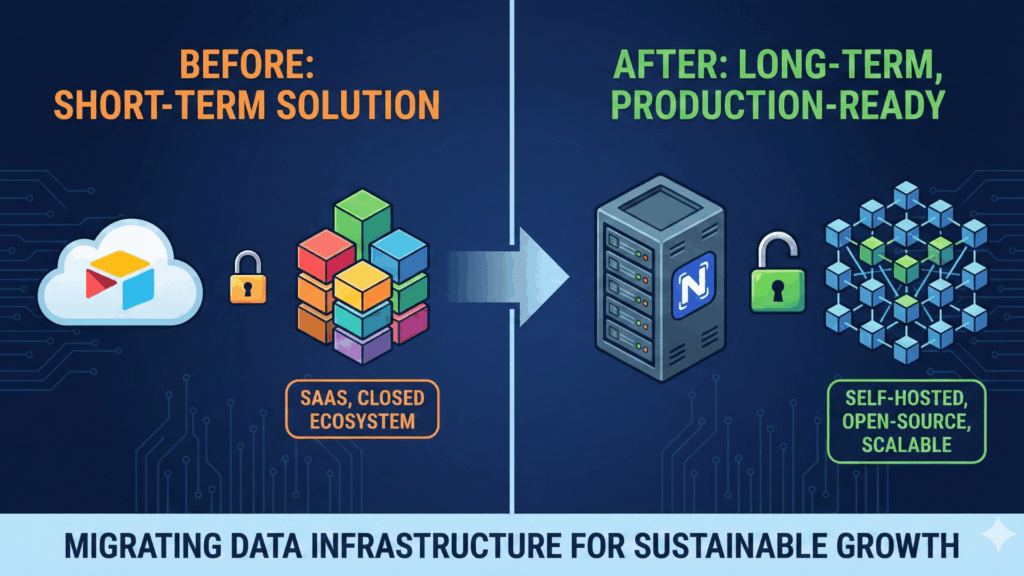
Introducing NocoDB (As an Architectural Choice, Not a Trend)
We eventually decided to migrate the system to NocoDB.
Not because it is “better” in a generic sense.
And not because Airtable had “failed”.
But because the system’s nature had changed.
What started as a simple Database had become an operational database, and it needed a foundation designed for that role.
NocoDB gave us something critical at this stage: control over structure, scale, and evolution.
But this decision only makes sense when viewed through comparison.
Airtable vs NocoDB: When Each One Makes Sense
Airtable: Where It Excels
Airtable is an excellent product when:
- Speed of setup matters more than long-term scale
- The number of fields per table is predictable
- The system is primarily interface-driven
- And the data model is relatively stable
For many teams, Airtable is a powerful upgrade from spreadsheets.
We still recommend it in the proper context.
But that context has limits.
Where Airtable Starts to Struggle
In this project, Airtable began to show stress when:
- The central table grew beyond hundreds of columns
- Operational logic depended on a single, ever-growing dataset
- Splitting into multiple tables introduced cascading dependencies
- And every workaround increased fragility instead of resilience
None of these are “mistakes”.
They are signals that the system has outgrown the tool’s comfort zone.
NocoDB: What Changed With This Foundation
NocoDB approached the problem differently.
Instead of abstracting the database away, it:
- Exposes the structure more honestly
- Allows significantly higher column limits (especially when backed by Postgres)
- Separates the data layer from the interface layer
- And reduces the need for artificial architectural tricks
In simple terms:
The system could grow without us fighting the platform.
Why This Was the Right Move for This Project
This decision was not about features.
It was about risk management.
By moving to a Postgres-backed system with NocoDB as the interface layer, we gained:
- Structural headroom for future growth,
- Fewer hidden constraints,
- Clearer mental models for how data behaves,
- And a safer path for long-term evolution.
Most importantly, we reduced the likelihood that future growth would trigger another emergency migration.
A Critical Clarification
This is not an argument against Airtable.
It’s an argument for architectural honesty.
Every tool has a range where it shines, and a point where pushing it further creates hidden debt.
Our responsibility was not to defend a tool.
It was to protect the client’s business.
Setting the Stage for the Migration Steps
Only after:
- Redefining our constraints,
- Choosing a foundation aligned with the system’s reality,
- And locking the “no disruption” rule, we move into execution.
The following section breaks down how we migrated again, step by step, without breaking workflows, trust, or timelines.
That’s where the real complexity began.
Step 1: Rebuilding the Database the Right Way
This was the most important, and least visible, change in the entire project.
In Airtable, structure and interface are tightly coupled.
Tables, fields, views, and usage all grow together, often without clear boundaries.
In NocoDB + PostgreSQL, they are not.
That separation gave us the opportunity to do something critical: design the database intentionally rather than letting it evolve accidentally.
What We Did Differently This Time
- The database schema was designed first, not discovered over time
- Field types were chosen deliberately, not “because they worked before”
- Naming conventions were standardized
- Redundant and overlapping fields were reviewed, not blindly copied
But one thing is important to clarify: We did not simplify the business to make the database easier.
The business was complex, and rightly so.
Our job was not to reduce that complexity, but to give it a foundation that could handle it long term!!!
Step 2: Views Remain Critical, and Fully Supported
One requirement was non-negotiable from day one: views.
The client’s team relies heavily on them:
- Different roles need different perspectives
- Daily work depends on filtered, structured views
- One dataset must serve multiple operational needs
This is important to state clearly: Views were never the problem!
They were one of the reasons Airtable worked well in the early stages.
And they were also one of the main reasons NocoDB was a viable replacement.
What mattered to us was simple:
- Multiple views over the same table
- Role-specific visibility without duplicating data
- Stable filters and sorting people can trust daily
NocoDB supported all of this without forcing compromises in the data structure.
From the user’s perspective:
- Workflows stayed familiar
- Daily habits didn’t change
- Nothing “broke”
And that was exactly the goal.
Why We Chose NocoDB (Practical Reasons Only)
Once the Airtable column limit became a hard blocker, we evaluated alternatives.
NocoDB stood out for very practical reasons:
- No artificial column limit like Airtable
- Direct connection to PostgreSQL (up to ~1600 columns per table)
- Open-source and fully self-hosted (saves a lot of costs monthly compared to Airtable`s plans)
- Full control over company data (because it is self-hosted)
- Unlimited team members, no per-seat pricing (saves a lot of costs monthly compared to Airtable`s plans)
For this specific project, these points mattered more than any “feature list”.
Rebuilding From Scratch On Purpose
NocoDB supports importing an Airtable base directly.
We tried it.
But the imported structure did not reflect the system’s actual logic; it simply mirrored Airtable’s constraints.
So we made a deliberate decision:
We rebuilt the database from scratch.
Field by field.
- Every existing column was checked against the original Excel logic
- Business meaning was validated, not assumed
- Fields were added only when they served a clear purpose
This wasn’t faster.
But it was safer.
Step 3: Executing the Migration Without Breaking the Business
This was the phase where most things could have gone wrong.
By this point:
- The platform decision was made
- The structure was redesigned
- The views were recreated
What remained was the most sensitive part of the entire project: moving reality from one system to another without damaging trust.
This step wasn’t about speed.
It was about control.
Data Migration Without Surprises
We did not migrate everything in one massive import.
That approach looks efficient, and hides problems until it’s too late.
Instead, we migrated incrementally.
Each batch was validated for:
- record counts
- field integrity
- formatting edge cases
Every mismatch was investigated.
Nothing was ignored “because it mostly works”.
This slowed us down slightly and saved us from structural mistakes that would have been extremely expensive later.
The Unexpected Benefit
Once the system lived on PostgreSQL, the conversation changed.
Instead of: “Can the tool do this?”
We started asking: “What should this system become next?”
Analytics?
Internal tooling?
AI-assisted workflows?
Custom interfaces?
All of that is possible without another rebuild.
The Real Lesson of This Migration
The most dangerous systems are not the ones that break early.
They are the ones that work just well enough to trap you.
Airtable didn’t fail this project.
It did exactly what it was designed to do.
The mistake would have been pretending the project hadn’t outgrown it.
Conclusion: Why This Migration Changed How We Build Systems
This project didn’t just change a database.
It changed how we think about automation, tools, and responsibility.
At Marinext AI, we often say that automation is not about replacing manual work.
It’s about building systems that can survive reality.
This migration proved that statement in practice.
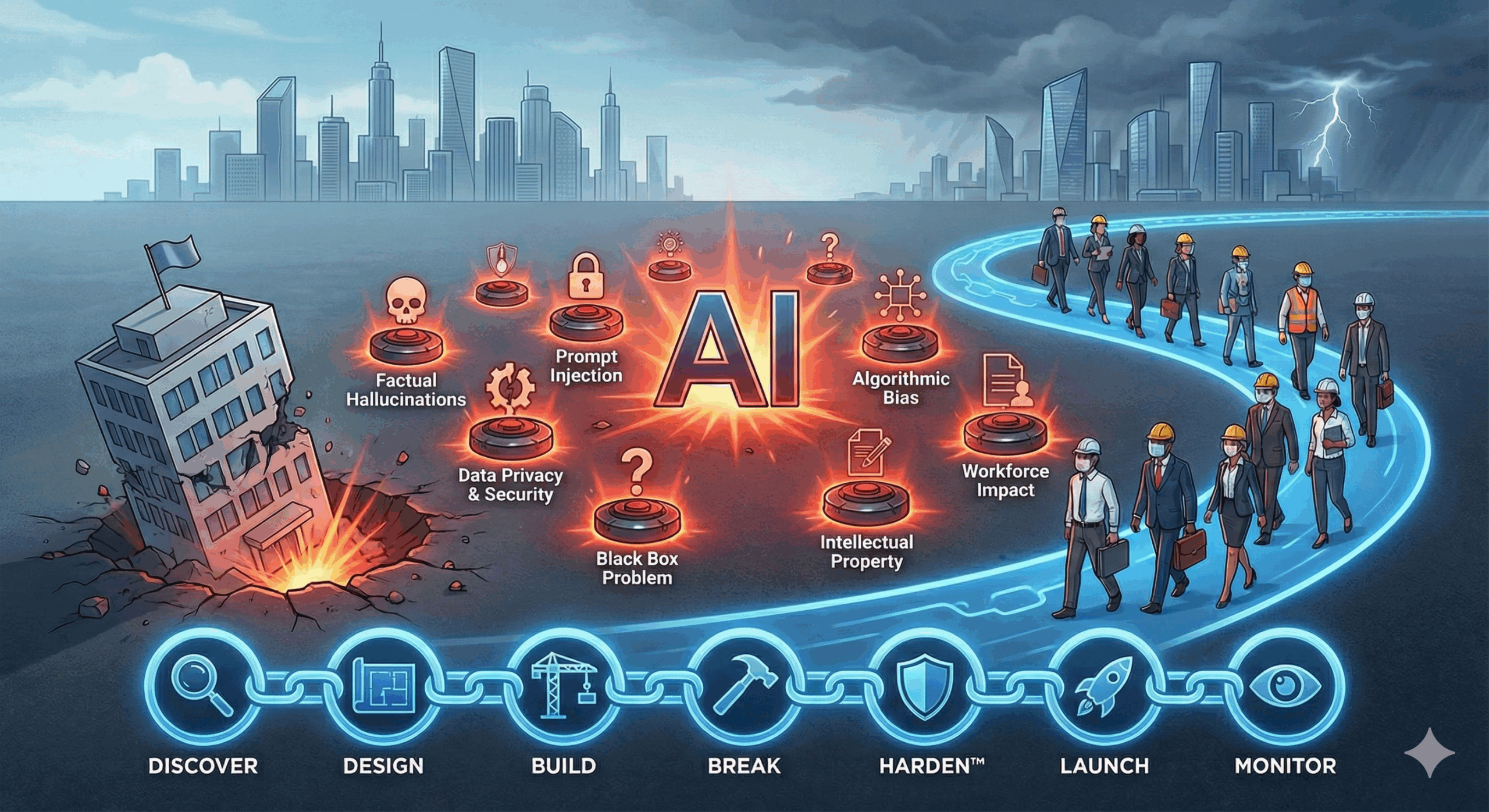
Where HARDEN™ Was Put to the Test
The HARDEN™ Method was not something we applied after the fact.
It was the framework that allowed us to recognize the problem early and fix it before it became a failure.
Here’s how this project reinforced each phase:
Discover
We didn’t just map processes.
We observed how the system actually evolved once people started using it daily.
Design
We stopped designing for what the tool allowed and started designing for what the business required.
Build
The system was rebuilt with guardrails, not shortcuts.
Break (QA)
We treated growth itself as a stress test, not as an exception.
Harden
Monitoring, validation, and structural safety became non-negotiable.
Launch
The transition happened without breaking trust or daily operations.
Monitor
Most importantly, the system is now built to be observed, not just used.
This is what HARDEN™ looks like in real life, not as a theory, but as a discipline.
The Deeper Lesson
The hardest decisions in system design are rarely technical.
They are timing decisions.
When to stop pushing a tool beyond its limits?
When to admit that “working” is not the same as “safe”?
When is it better to change direction before it becomes painful?
This project could have stayed in Airtable.
It would have continued working for a while.
But long-term systems are not built by forcing tools to comply.
They are built by choosing foundations that respect growth.
What This Means for Business Owners
If there’s one takeaway from this story, it’s this: A successful migration is not the end of a project. It’s the beginning of responsibility.
Tools will not protect you from complexity.
Only architecture will.
And architecture is not about software.
It’s about decisions.
Why I Share This Publicly
I don’t write these articles to showcase tools.
I write them to document reality, including mistakes, constraints, and uncomfortable moments.
Because real systems are not built in demos.
They are built under pressure, with real data, real people, and real consequences.
This article exists so others don’t have to learn these lessons the hard way.
Final Thought
The most dangerous systems are not the ones that fail fast.
They are the ones that work just well enough to delay difficult decisions.
HARDEN™ exists to prevent exactly that.
And this migration is now part of its evolution.